Generate Access Key
FAQ
How to find your purchase code
- Log into your Envato Market account.
- Hover the mouse over your username at the top of the screen.
- Click 'Downloads' from the drop-down menu.
- Click 'License certificate & purchase code' (available as PDF or text file).
- https://help.market.envato.com/hc/en-us/articles/202822600-Where-Is-My-Purchase-Code-
Examples of supported formats :
JSON Url :
https://solodroid.net/demo/blogger_news_app/config.json
Google Drive Shared Link :
https://drive.google.com/file/d/1EWmYx5qJc2D6h6fbnuopyc88KsdK3BHu/view
Google Drive File ID :
1EWmYx5qJc2D6h6fbnuopyc88KsdK3BHu
JSON Url :
https://solodroid.net/demo/blogger_news_app/config.json
Google Drive Shared Link :
https://drive.google.com/file/d/1EWmYx5qJc2D6h6fbnuopyc88KsdK3BHu/view
Google Drive File ID :
1EWmYx5qJc2D6h6fbnuopyc88KsdK3BHu
How to find your applicationId
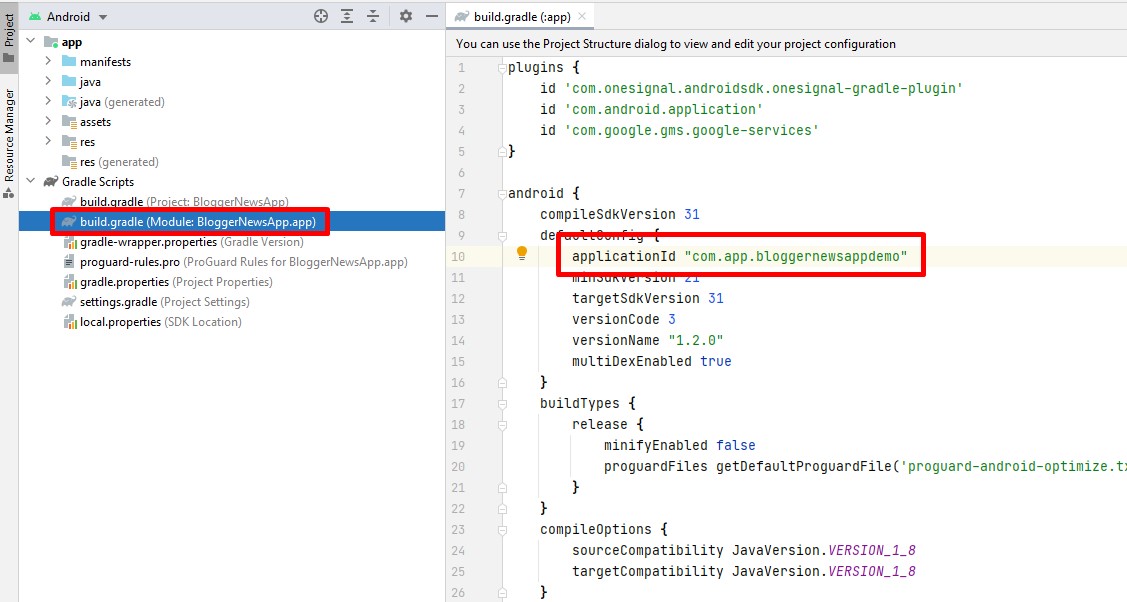
- Open Android Studio Project
- Select Gradle Scripts > build.gradle (Module: app)
How to find your applicationId
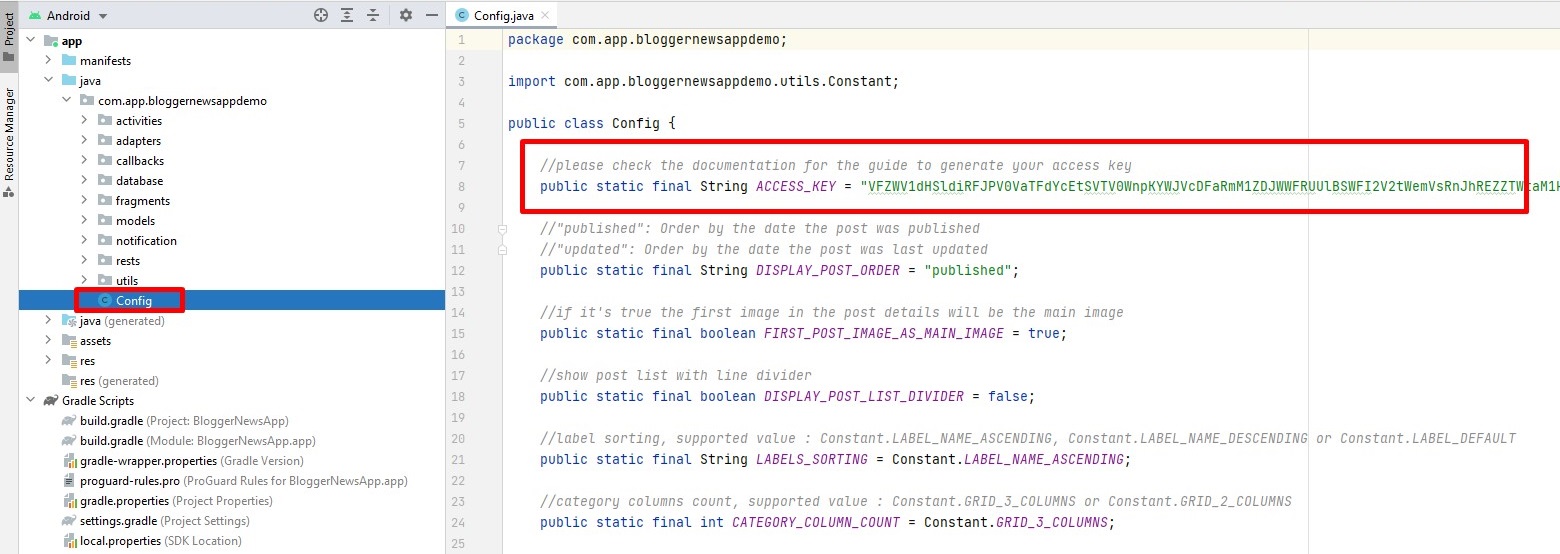
- Open Android Studio Project
- Select Java > 'your_package_name' > Config
- Put your Access Key in the ACCESS_KEY strings tag